Board | Interactive Whiteboards and Corkboards
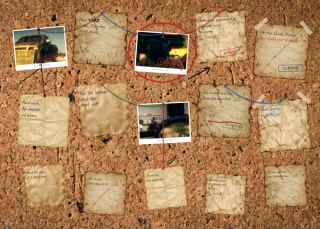
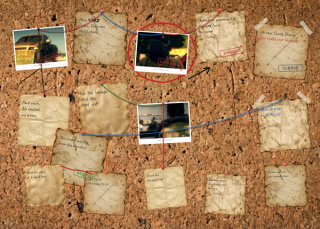
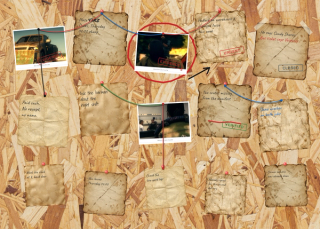
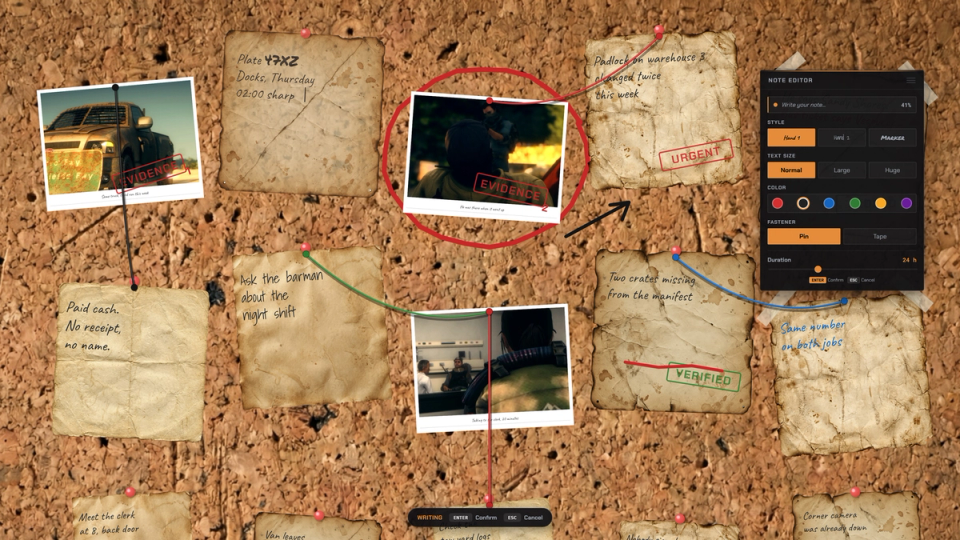
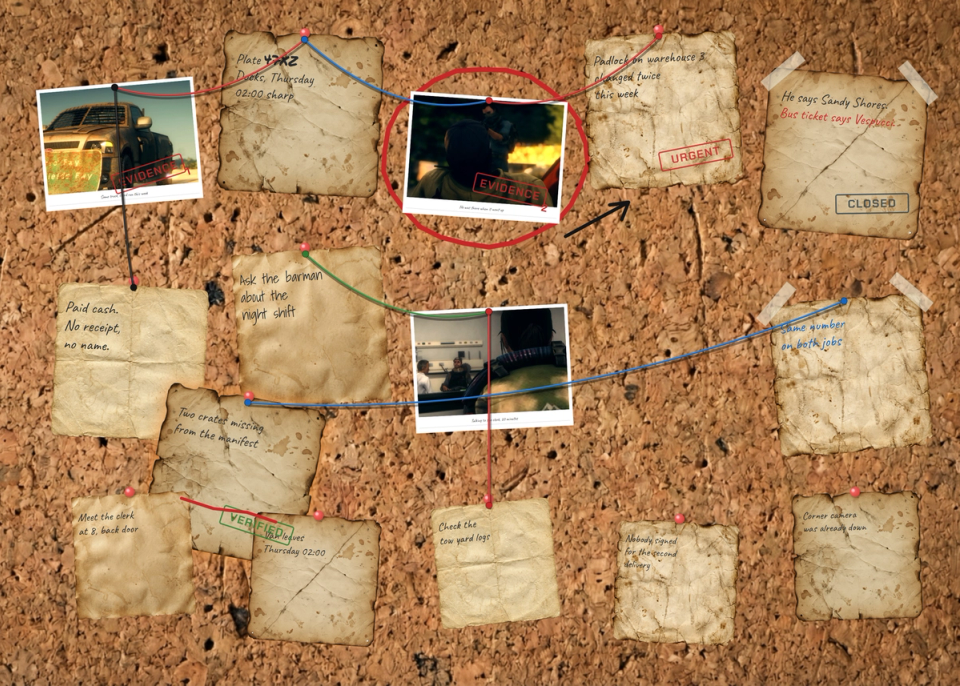
Turn the whiteboards and corkboards your map already has into a real investigation board. Pin sticky notes and photos, write on them in a handwriting font, stamp them, string red wire between them and scribble across the cork. Everyone standing at the board sees the same surface, drawn onto the prop, never a panel over the screen.


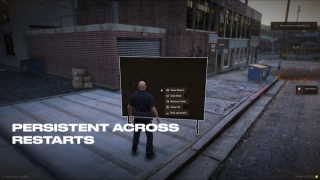
Overview
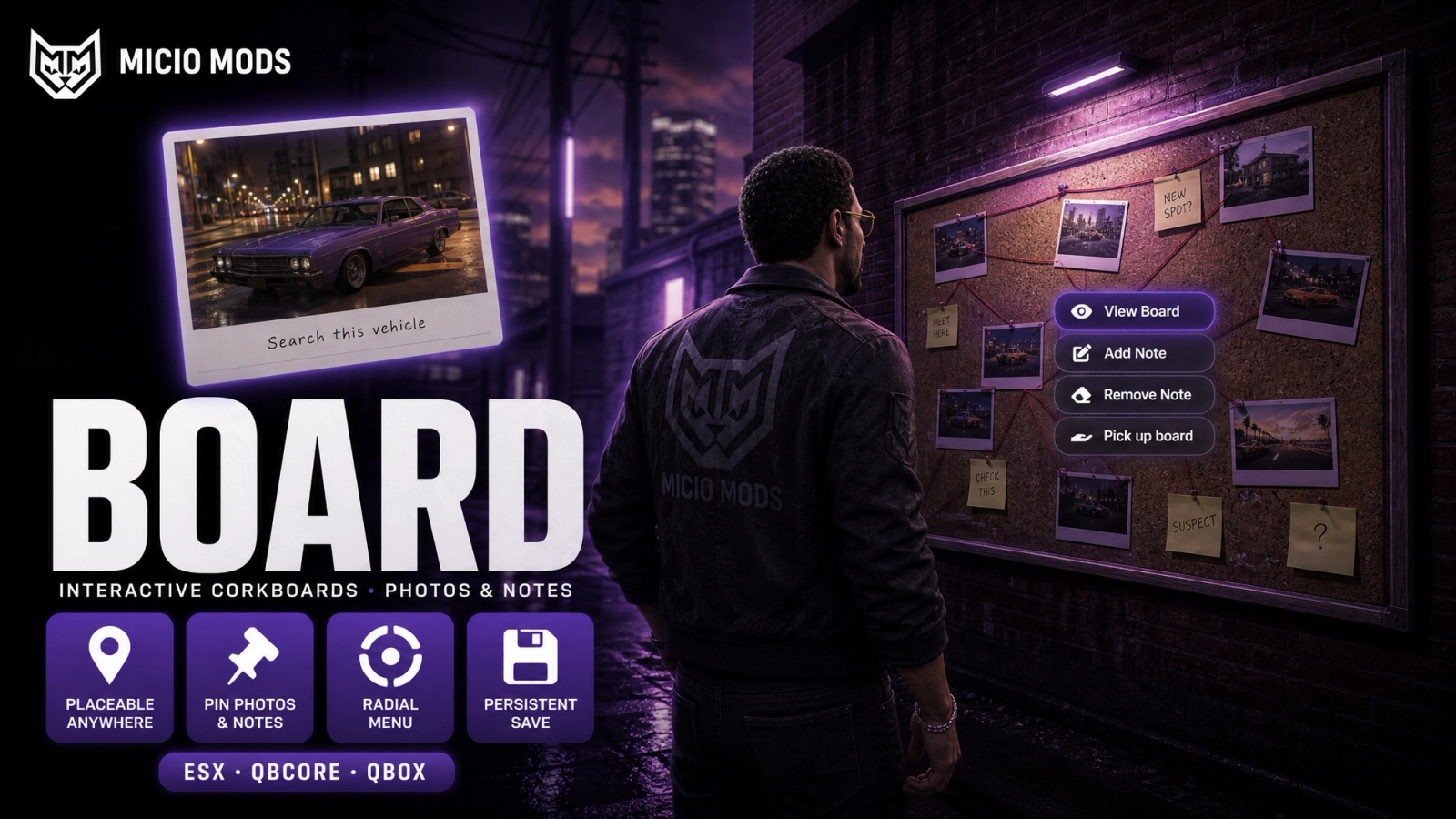
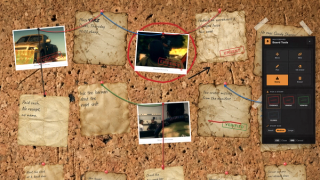
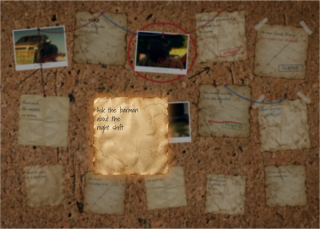
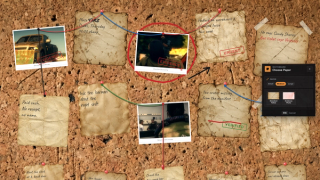
Every police station has a planning board and every hideout has a corkboard, and on most servers they are just props. Walk up to one here and the camera eases onto the surface: you pin a note, write it in a handwriting font, drag it into place, and everyone nearby watches it land on the board itself.
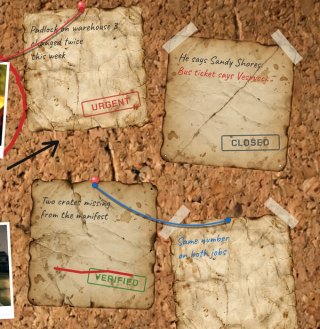
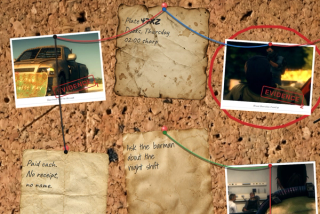
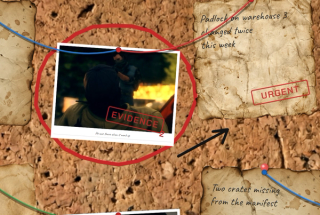
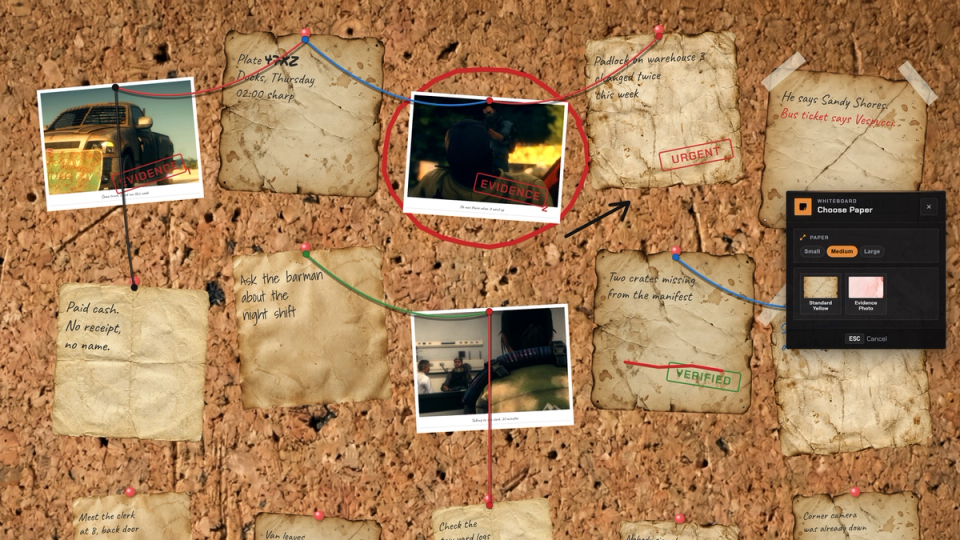
From there it turns into a case wall. Run red string from a suspect to a location, press an EVIDENCE stamp on a photo, circle a name with the pen. Move the note later and the stamps, the ink and the wires travel with it.
What to expect
- Notes are drawn onto the prop in the world, never a panel over the screen
- Write straight on the paper: click for the cursor, drag to select, restyle what you picked
- Red string between notes, free-hand pen on the cork or on a note, and stamps with numbered evidence tags
- Stamps and drawings stick to their note and follow it when you move or turn it
- Photos pin from a direct image link or from the shots players took in game, and can sit inside a poster frame
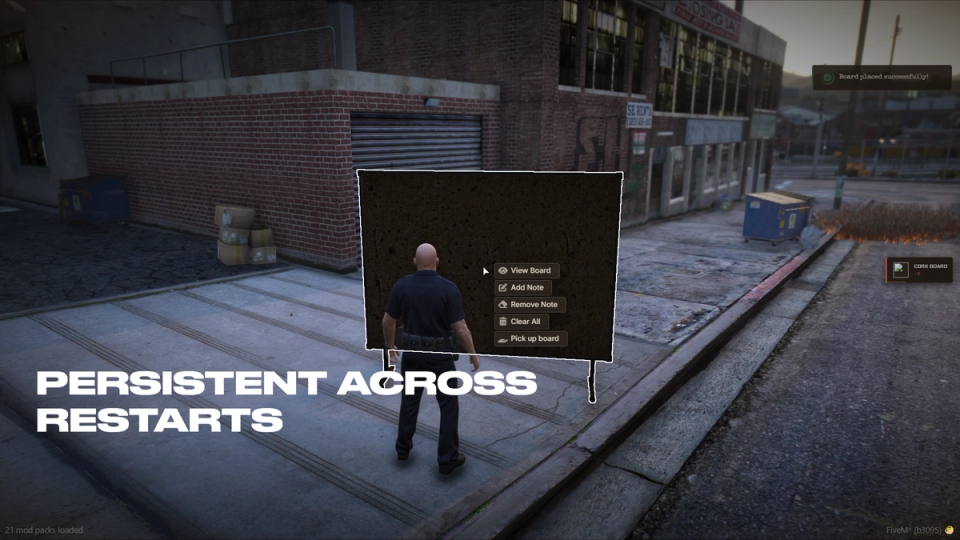
- Boards double as inventory items: place one in a safehouse and it survives restarts
- Every action on a board has its own rule: everyone, only your own, staff only or a job list
- Posters choose how long a note lasts, and expired notes clean themselves up
- Idles at 0.00ms until someone opens a board
ESX, QBCore, QBox and Standalone are all supported.
Key Features
Drawn Onto The Prop
Notes appear on the physical board in the world, not a panel laid over your screen. Everyone standing near the board sees the same surface update the moment a note goes up.
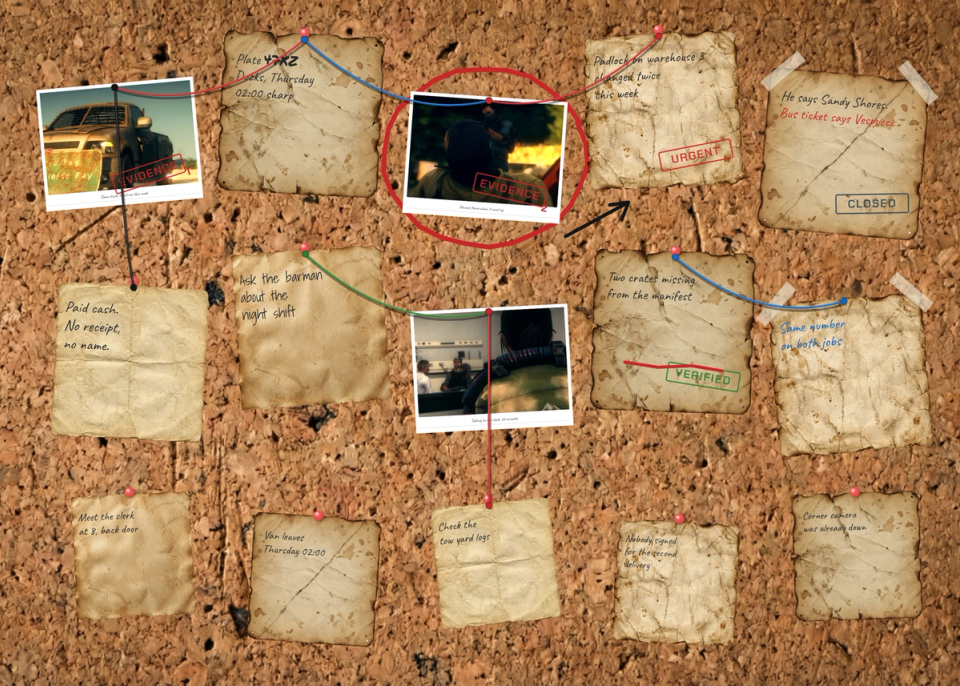
Smooth Board Camera
Open a board and the view eases onto the surface with pan, zoom and rotate. Notes land exactly where you click, and the framing reads off the prop so any board model lines up cleanly. Per-prop camera offsets in the config let custom board models frame correctly.
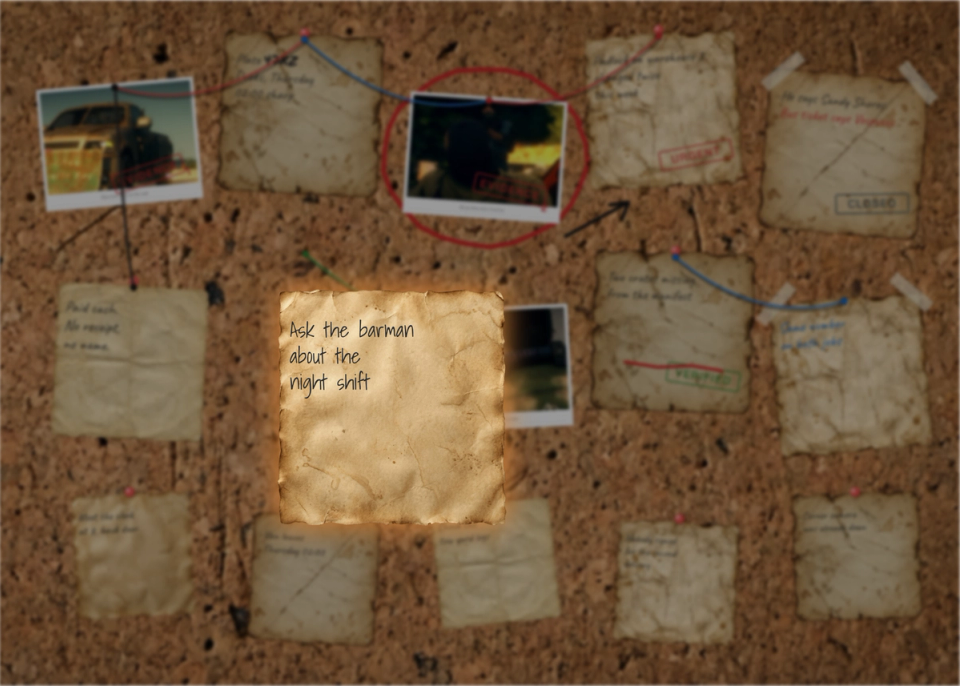
Place It, Then Write It
Pick the paper and the size from the panel, spin the note with Q and E and set it down where you want it, then write on it while it hangs there. Grab it again any time to move it somewhere else.
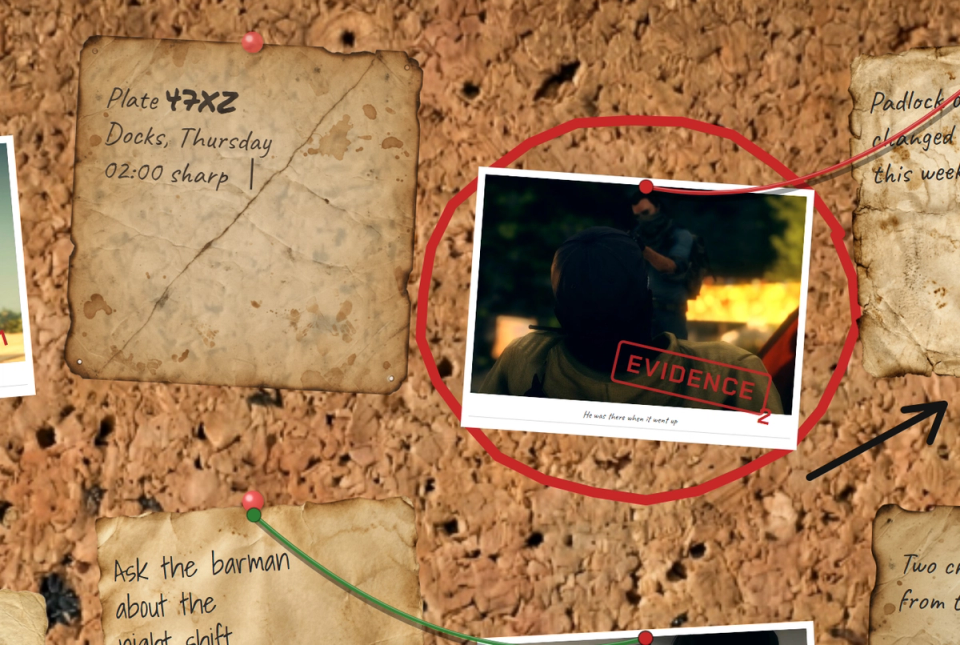
Write On The Paper Itself
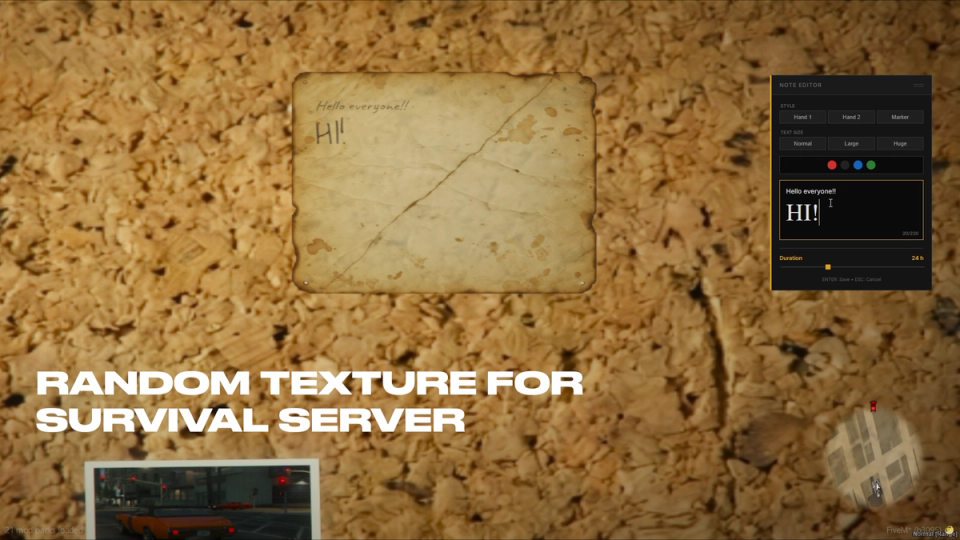
Click the sheet where you want the cursor and start writing, or drag across a few words and change their font, size or colour. A meter shows how much room is left on the paper, so a note fills up the way a real one does.
Red String Between Notes
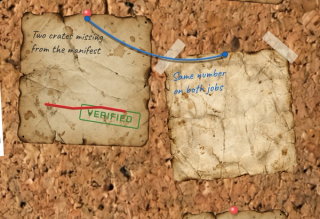
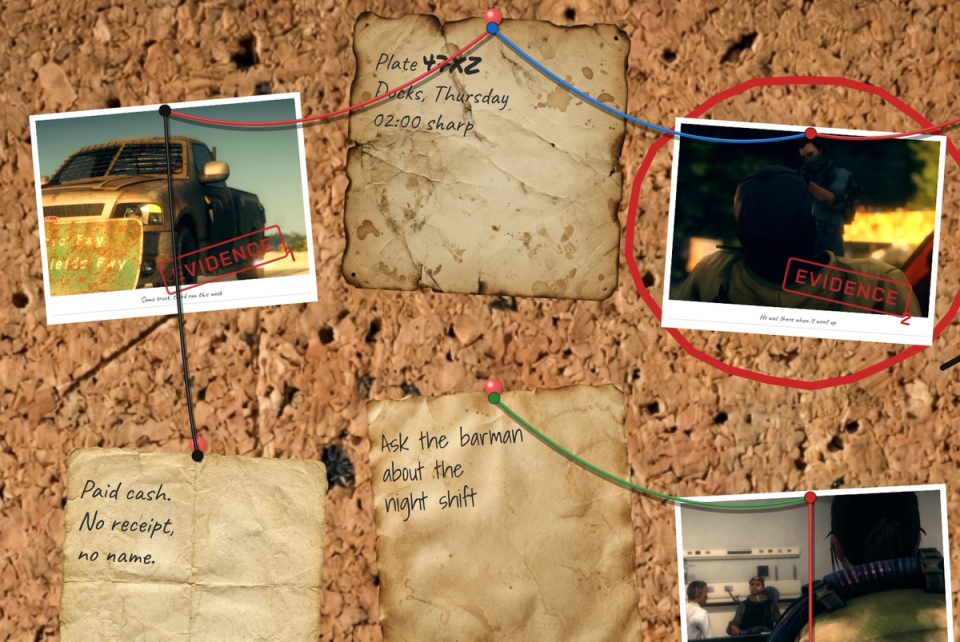
Pick the wire tool, click one note then another, and a length of string hangs between them with its own sag and shadow. Choose the colour, move a note and the wire follows it.
Draw Straight On The Board
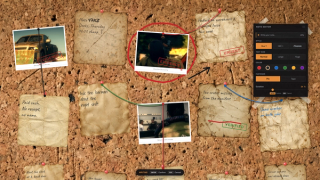
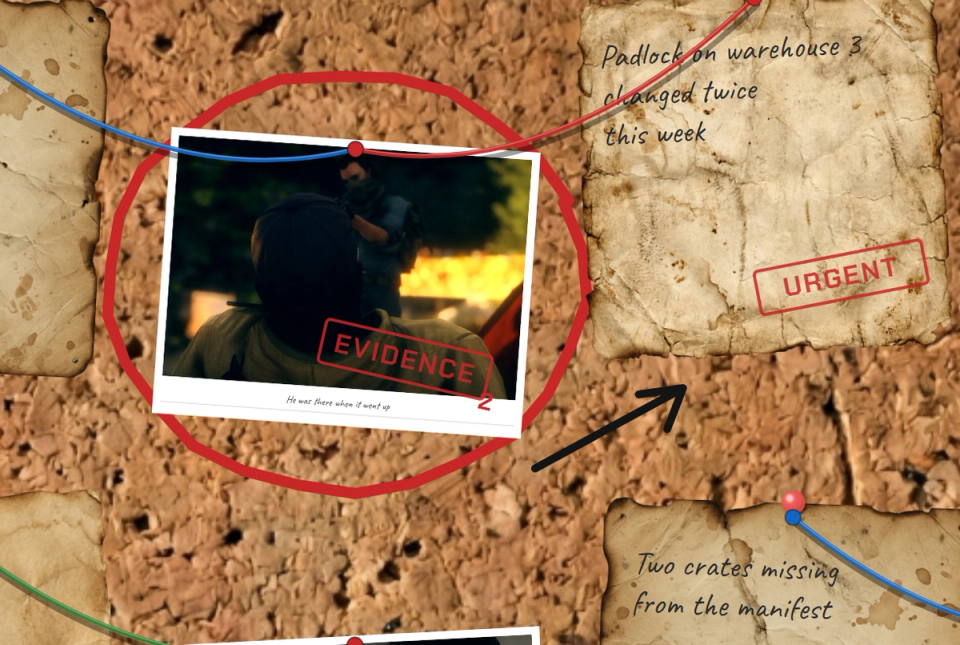
The pen writes on the cork itself: circle a face, cross out a name, scribble an arrow. Colours and three nib sizes, plus an eraser that rubs out ink by dragging over it.
Stamps And Evidence Tags
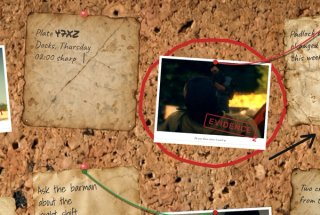
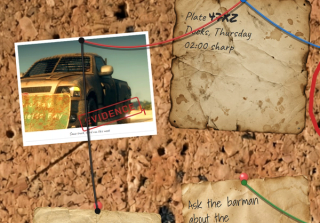
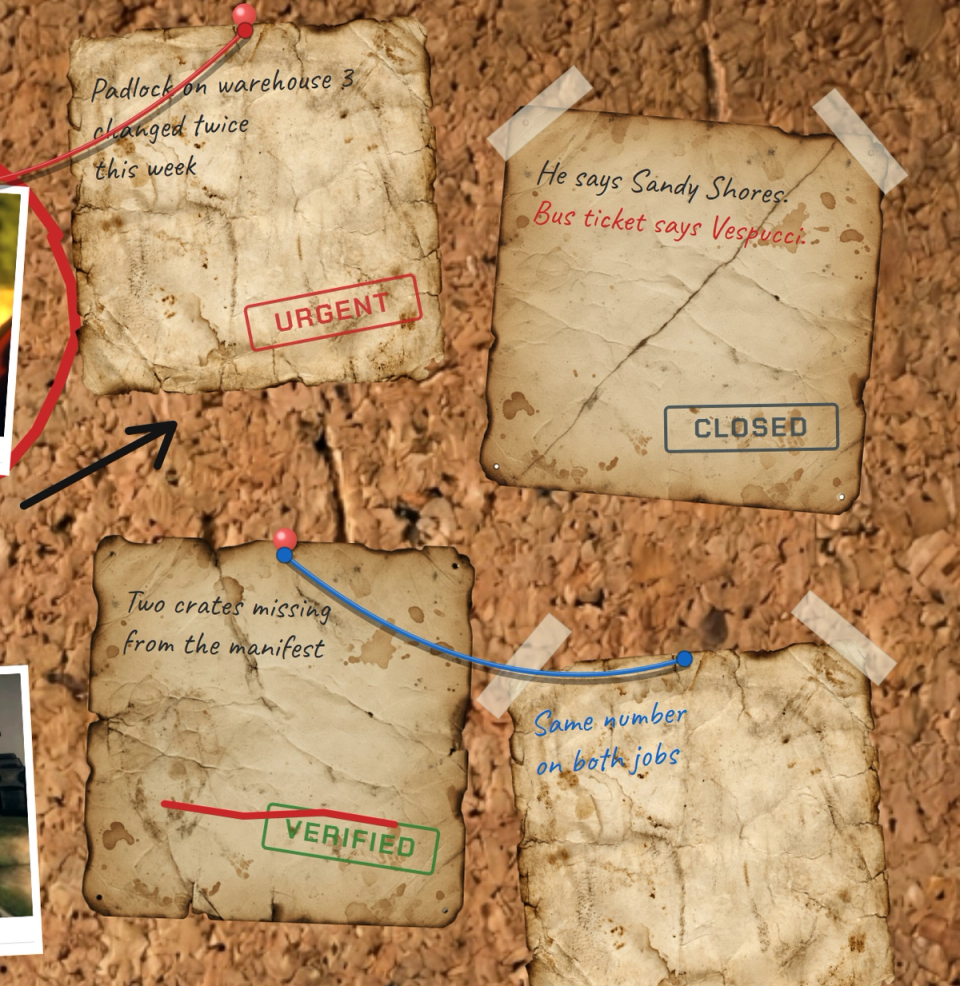
Press EVIDENCE, URGENT, VERIFIED or CLOSED onto a note. Evidence stamps are numbered in the order they are pressed, so a photo becomes exhibit four. Add your own stamps in the config with a label, an ink colour or your own image.
Ink And Stamps Ride Along
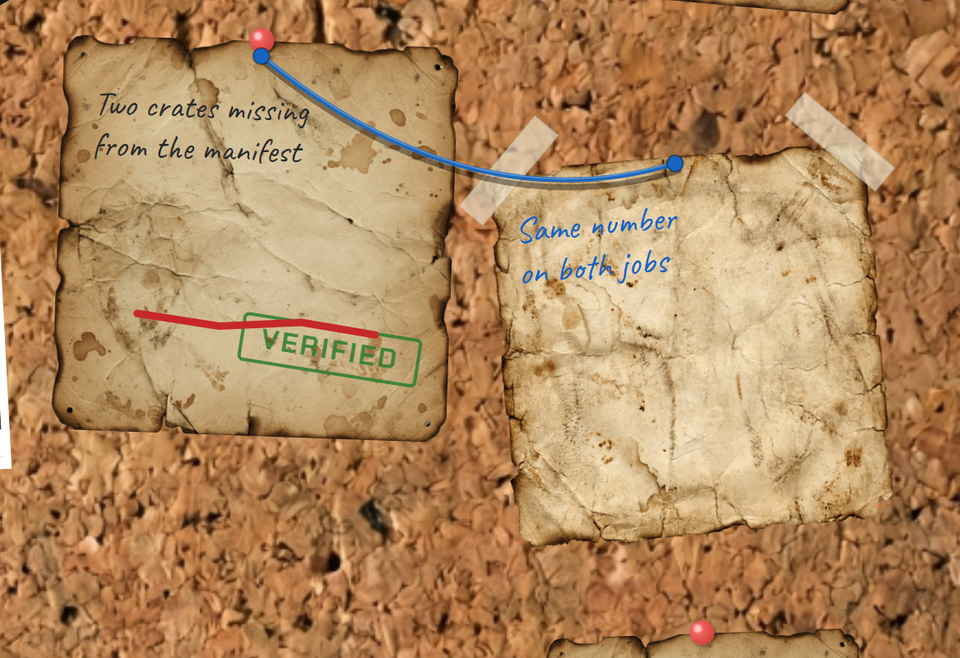
A stamp pressed on a note and a line drawn across it belong to that note. Pick the note up, turn it, drop it in the corner of the board and everything on it comes too.
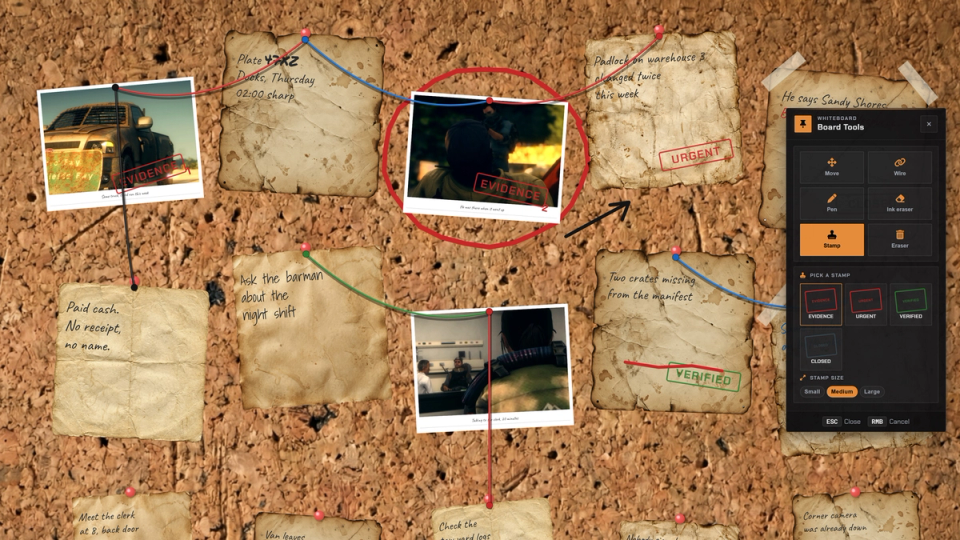
Board Toolbar
One key opens a side panel with the tools: move, wire, pen, pen eraser, stamp and eraser. The panel only shows what that board lets you do, so a public board looks simpler than a detective one.
Rearrange The Wall
Grab a note that is already up, spin it with Q and E and set it down somewhere else. Wires and stamps update while you drag, so you can see the layout before you let go.
Pin It Or Tape It
Choose how a note holds onto the board: a pushpin through the top, or two strips of tape across the corners.
Wanted Posters
A photo style can carry your own artwork around it, with the picture showing through a window and the caption written on the sheet. Drop in a wanted poster, a case file cover or a newspaper cutting.
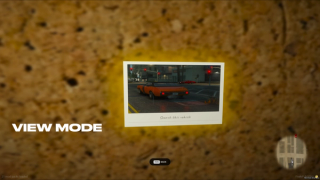
Pin Images By Link
Paste a direct http or https image link and the picture renders on the board. Links must be direct http or https addresses; anything else is stripped before it reaches the board. Photos carry a short handwritten caption under the picture.
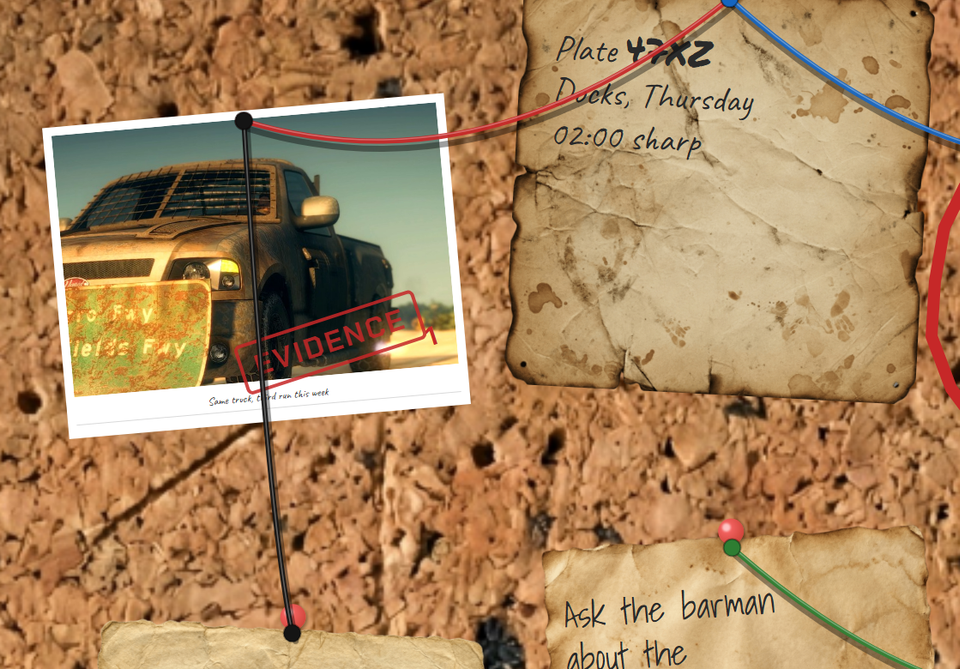
Optional Camera Photo Pinning
Switch on the camera integration and players can pin the photos they took in-game. The server confirms the photo is really in their inventory before it goes up. Off by default, needs a compatible camera script.
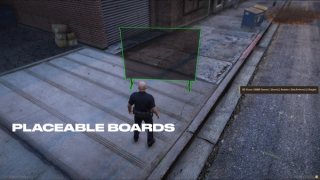
Player-Placed Boards
Give a board as an inventory item and the player sets it down in the world. The spot, the owner and every note are saved and come back exactly as they were after a restart.
Pickup Policy And Cap
Pick a placed board back up into an item under an owner-only or anyone policy, with admins always allowed. Each player is capped at a number of boards you choose, set to thirty out of the box.
Static Config Boards
Define permanent boards by coordinates and prop. Each one loads its saved notes on start and keeps its own settings, separate from boards players place themselves.
A Rule Per Action, Per Board
Every board decides on its own who may pin, move, delete, clear, string wire, draw and stamp. Each of those is set to everyone, only your own work, staff only, or a list of jobs. One board open to the city, another one only the detectives can touch.
Per-Board Quotas And Note Gating
Give each board a total note cap and a per-player quota, plus an allow-list of which note styles that specific board will accept. One board for the whole city, another for a single squad.
Note-Item Economy
Each note style can cost an inventory item when placed, like sticky notes, paper or a photo, and any one matching item in the bag will do. Turn the whole item requirement on or off.
Poster-Chosen Expiry
Whoever posts a note picks how long it lasts inside the minimum and maximum you set. A scheduled cleanup pass removes expired notes for you, with no staff work and no manual wipes.
Quick /postit Command
An optional command lets players post a note just by standing near a static board, without aiming at it, and carries its own switch to skip the item requirement when you want it free.
No Install File To Run
Drop the resource in and start it. Your boards and notes are stored for you, and if you ran an earlier version of this board resource your existing notes are carried over automatically. There is no setup file to run by hand.
Plug It Into Your Other Scripts
Your owned-property systems, dashboards and admin tools can see where every board sits and how many a given player owns, and boards count toward the rest of your server the way you want.
Discord Activity Logging
Every note posted, every note removed and every board wiped goes to your Discord, with the player name, the board and a preview of the text. A separate feed flags forged board requests and unauthorized clear attempts the moment the server catches them. Staff see who is tampering without standing at the boards.
No Target Resource Needed
With a targeting resource installed, boards show context options. Without one, players get an [E] prompt and a small menu instead. Works either way, nothing extra to install.
Your Own Board Surfaces
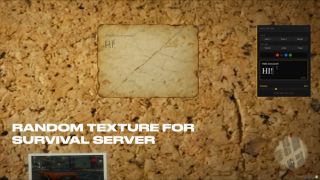
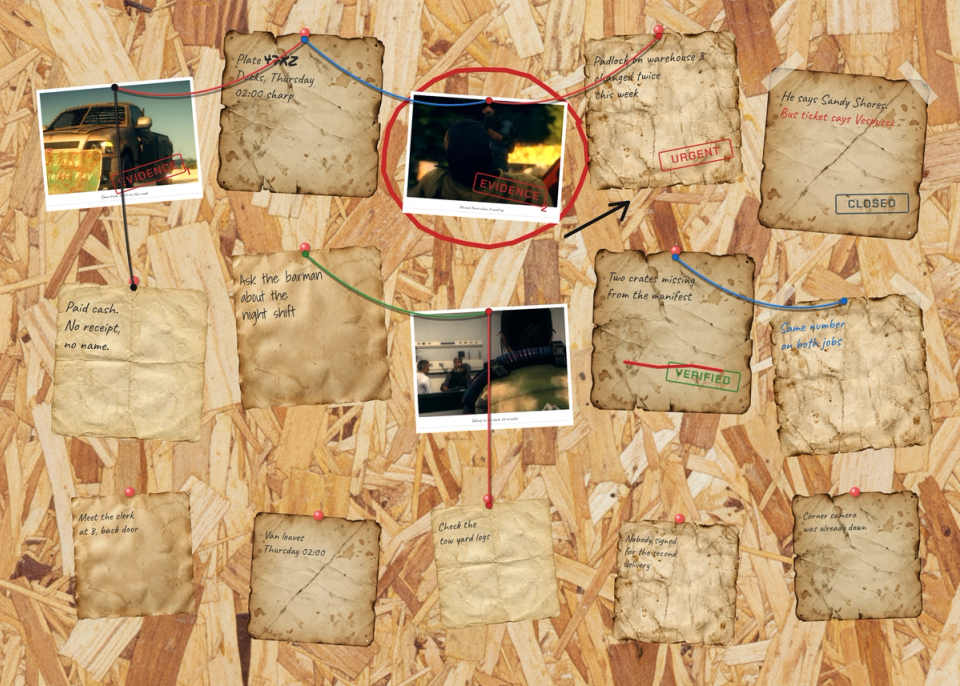
Cork and chipboard finishes ship in the box. Add more surfaces with a plain image URL and pick which one each board uses.


Secure Payments via:









Tip: Log in with Discord to automatically sync your customer roles!
Verified Reviews
No reviews yet. Be the first!